
Affiliate disclosure Some links are affiliate links. We may earn a commission when you purchase through them. Check the provider for current prices and offers before ordering.
On this page
Last reviewed: July 6, 2026. Trading infrastructure can reduce technical interruptions, but it does not make a strategy profitable. Verify provider terms and broker latency before paying.
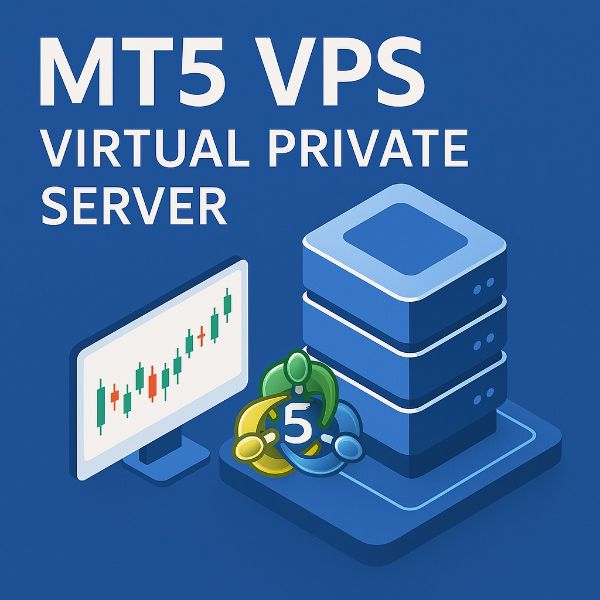
An MT5 VPS is a remote server that keeps MetaTrader 5 running when your laptop is off, your home internet drops, or your local machine restarts. The right VPS can improve reliability for Expert Advisors, copy trading tools, and monitoring scripts.
The wrong VPS can add latency, crash under load, or create a billing problem. Pick by broker route and Windows performance, not by a generic star rating.
Quick Shortlist
| Provider type | Best for | What to verify |
|---|---|---|
| Forex-specialized VPS provider | Traders who want MT4/MT5 preinstalled | Broker latency, support, Windows version |
| LightNode hourly or monthly VPS | Testing broker routes across many regions | Windows availability, monthly equivalent |
| Vultr or DigitalOcean Windows-capable cloud | Users comfortable configuring Windows | Licensing, region, CPU, RAM |
| AWS or Azure Windows VM | Teams needing enterprise controls | Billing complexity, region, cost |
| Broker-provided VPS | Traders who qualify by deposit or volume | Conditions, broker lock-in, cancellation |
Recommended Specs
| Setup | Minimum | Safer choice |
|---|---|---|
| One MT5 terminal, light EA | 1 vCPU, 1-2 GB RAM | 2 GB RAM |
| Several charts or EAs | 2 vCPU, 2-4 GB RAM | 4 GB RAM |
| Multiple terminals | 2-4 vCPU, 4-8 GB RAM | 8 GB RAM |
| Copy trading plus monitoring | 2 vCPU, 4 GB RAM | 4-8 GB RAM with backups |
Windows itself uses a meaningful amount of RAM. Do not buy the smallest plan if you run several terminals.
Broker Latency Matters Most
Choose the VPS region closest to your broker's trading servers, not necessarily closest to your home. Ask your broker where its MT5 servers are located, then test candidate VPS regions.
Before moving live trading:
- Deploy a trial VPS.
- Install MT5 and connect to your broker.
- Check ping inside MT5.
- Run the EA on demo first.
- Watch CPU, memory, and disk for a full market session.
- Confirm restart behavior after Windows updates.
Security And Reliability Checklist
- Use a strong Windows password and restrict RDP where possible.
- Enable provider snapshots or backups.
- Document MT5 login recovery.
- Keep EA files backed up outside the VPS.
- Disable unnecessary startup apps.
- Schedule Windows updates outside active trading hours.
- Set provider billing alerts.
FAQ
Does an MT5 VPS improve profit?
No. It can improve uptime and reduce local interruptions. It cannot fix a bad strategy, broker slippage, or market risk.
Do I need Windows for MT5?
Most traders use Windows because MetaTrader support is straightforward. Linux with Wine can work, but it adds maintenance risk.
Is the cheapest VPS good enough?
Only for testing. Live trading needs stable RAM, CPU, network, backups, and quick recovery.
More VPS
Explore a recommended provider and browse VPS guides by location.

First recommendation
Start with LightNode
We recommend LightNode first for hourly billing and a choice of Windows or Linux.
Affiliate link. We may earn a commission if you purchase through this link.